
ShellHub: The Choice Between Community, Enterprise, and Cloud
Would you trust remote access to your device fleet to a tool that doesn’t adapt to your operational reality?
Most technical leaders face a difficult choice: accept the rigidity of an off-the-shelf solution that doesn’t meet compliance requirements, or build something from scratch and drown in complexity. ShellHub breaks this false dichotomy.
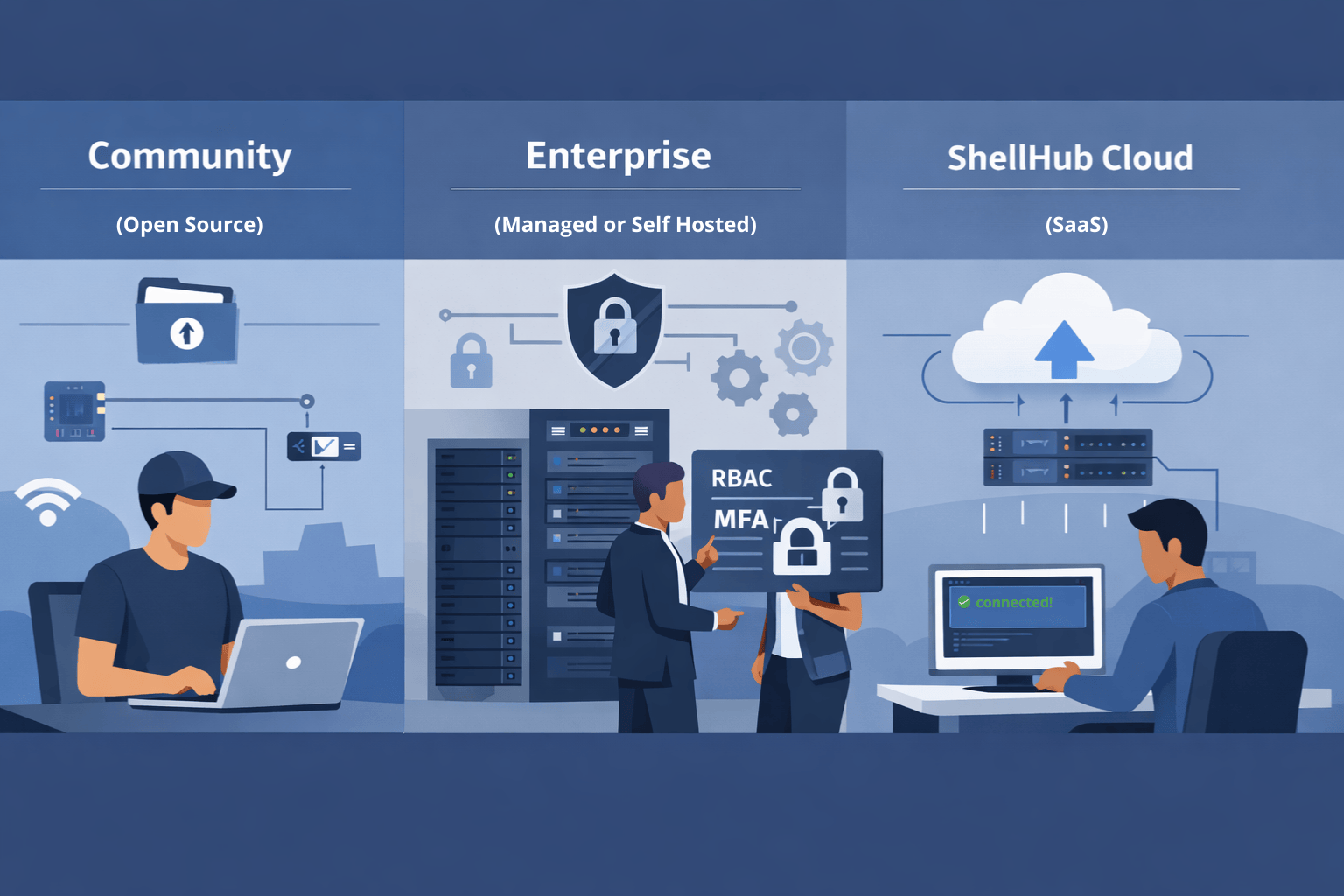
With Community, Cloud, and Enterprise (Managed or Self-Hosted), you don’t choose between capability and control. You choose the operational model that best aligns with your security, compliance, and scalability needs.
Understanding this distinction is what separates a fragile remote access setup from a resilient, modern, secure architecture.
Community: The Open Source Foundation for Teams with Technical Control
ShellHub Community is the open-source foundation of the platform. By design, it is self-hosted and delivers the essential capabilities for secure SSH access to distributed devices.
It’s ideal for small teams or development environments where you have the in-house expertise to independently manage infrastructure. Support comes from the community and official documentation. You are responsible for deployment, maintenance, availability, and scalability.
Community delivers essential remote access, with full technical autonomy.
Enterprise: Advanced Capabilities with Deployment Flexibility
Enterprise introduces advanced security, compliance, and fleet management capabilities.
The Enterprise line delivers real flexibility: Self-Hosted or Managed.
The advanced feature set is identical in both models. The difference lies in who operates the infrastructure.
This means you choose the deployment model based on compliance requirements, operational capacity, and business strategy, without sacrificing any critical capabilities. The tool adapts to your reality, not the other way around.
ShellHub Cloud: Secure SaaS Without Infrastructure Overhead
ShellHub Cloud completely eliminates the need to provision, configure, or maintain servers. It’s the right choice for teams that want to get started in minutes or for those looking for a proof-of-concept validation.
You create an account, connect your devices, and immediately gain access to the full power of the Enterprise resources, fully operated by the ShellHub team.
It’s ideal for organizations that prioritize time-to-value and prefer to offload operational complexity so they can focus on their core business. The infrastructure is transparently managed, monitored, and scaled. You simply consume the service.
Architectural Difference: Basic Remote Access vs. Hermetic Access Tunnels
The architectural foundation of ShellHub Enterprise — whether Self-Hosted or Cloud — is built on a secure access model with Hermetic Access Tunnels.
Devices:
- Do not expose inbound ports
- Do not require VPN concentrators
- Establish outbound, mutually authenticated connections
Every access request is authenticated and authorized before a session is established.
This architecture is consistent across Community, Enterprise, and Cloud.
The difference is not in how access works. It’s in who operates and maintains the control plane.
Community provides secure remote access.
Enterprise and Cloud delivers a hardened, compliance-ready secure architecture designed for production fleets.
The Main Difference Is in the Operating Model
Community provides the essentials for teams with full technical autonomy.
Enterprise delivers advanced features with absolute control over infrastructure and data residency.
Cloud is the fastest entry point into Enterprise-grade capabilities, operated entirely as a service.
The progression is natural:
- Start with the Community or Cloud to validate
- Move to Enterprise Managed to scale quickly
- Adopt Enterprise Self-Hosted if compliance or sovereignty requirements demand full control from day one
The core technology remains the same across all models.
Choosing Based on Three Variables: Control, Speed, and Capacity
The right choice depends on three variables:
1. Control
If you require strict data sovereignty, internal hosting policies, or regulatory compliance that mandates on-prem infrastructure, Enterprise Self-Hosted is the logical path.
2. Speed
If rapid deployment and immediate operational readiness are priorities, Cloud provides the fastest route to production.
3. Operational Capacity
If you have a strong infrastructure team and want full lifecycle control, an Enterprise Self-Hosted license makes sense.
If you prefer to delegate availability, scaling, and monitoring, the Enterprise Managed license reduces operational overhead.
If you’re validating the solution in a controlled environment with internal expertise, Community is the natural starting point.
If you're looking for a Self-Service SaaS for a small fleet of devices, Cloud is the best choice.
Note: the decision is not permanent! The architecture supports migration between models as your maturity and requirements evolve.
Advanced Security and Governance (Enterprise & Cloud)
Enterprise capabilities — available in both Self-Hosted and Cloud — include:
- Multi-Factor Authentication (MFA)
- Single Sign-On (SSO) integration
- Role-Based Access Control (RBAC)
- Advanced firewall rules
- Full session recording
- Immutable audit trails
- REST API and webhooks
- LDAP / Active Directory synchronization
- SIEM integration
These capabilities support compliance initiatives such as SOC 2 and ISO 27001 and enable incident investigation, traceability, and governance at scale.
Cost Model and ROI Perspective
- Community: Free (infrastructure and operations are your responsibility)
- Cloud: Subscription-based, including infrastructure, monitoring, support, and SLA guarantees
- Enterprise:
- Managed: Device tier licensing, infrastructure, and operations on our side.
- Self-hosted: Device tier licensing only (infrastructure and operations are your responsibility)
ROI should be evaluated not just in licensing cost, but in:
- Reduced security exposure
- Elimination of VPN complexity
- Lower operational overhead
- Faster incident response
- Simplified compliance audits
Conclusion
Traditional tools force you to choose between what’s good for the business and what’s manageable operationally.
ShellHub inverts that model.
It provides the same technological foundation across three deployment models that adapt to your context:
- Community for technical autonomy
- Enterprise for full infrastructure and data control
- Cloud for maximum speed and zero operational friction
The real question is not “Which tool should I use?” It’s:
“Which operational model solves my problem today without forcing compromises that don’t make sense?”
Your infrastructure has nuances. Your remote access platform should, too.
Next Step
Still unsure which deployment model fits your architecture or compliance requirements?
👉 Talk to our engineering team: https://shellhub.io/contact
👉 Request a free Enterprise trial: https://shellhub.io/free-trial
Evaluate the full platform with no commitment required.