
Why ShellHub Uses Docker
Learn why ShellHub recommends Docker for installing the agent and how containers simplify deployment across Linux devices.


Quick summary
- Problem: Installing software across different Linux devices can be difficult when dependencies, permissions, and distributions vary.
- Solution: ShellHub recommends Docker for the Agent because containers package the runtime and dependencies in a consistent way.
- Best for: Embedded Linux teams, IoT operators, DevOps teams, and anyone installing ShellHub Agent across heterogeneous Linux devices.
- Important note: Docker is recommended for ShellHub Agent installation, but it is not the only possible installation path.
If you are already familiar with ShellHub, you have probably noticed that Docker and ShellHub often go hand in hand. When you follow the official documentation about installing ShellHub Agent on a device, you will be guided to install it using Docker. Although Docker is not a mandatory tool to install ShellHub Agent, it is highly recommended. Why? In this article, I will address this subject.
What is Docker?
Probably you've already heard about Docker. Maybe you even use it every day. Anyway, here's the definition given by themselves:
Docker is an open platform for developing, shipping, and running applications. Docker enables you to separate your applications from your infrastructure so you can deliver software quickly. With Docker, you can manage your infrastructure in the same ways you manage your applications.
Docker revolutionizes software development and deployment by offering a comprehensive platform for containerization. At its core, Docker enables developers to package applications and their dependencies into isolated units called containers, providing a consistent environment for software to run across different systems. This approach streamlines the development process, as developers can focus on writing code without worrying about compatibility issues or differences in underlying infrastructure. Moreover, Docker containers are lightweight, as they're not virtual machines, making them easy to deploy and scale, whether on local machines, servers, or cloud platforms.
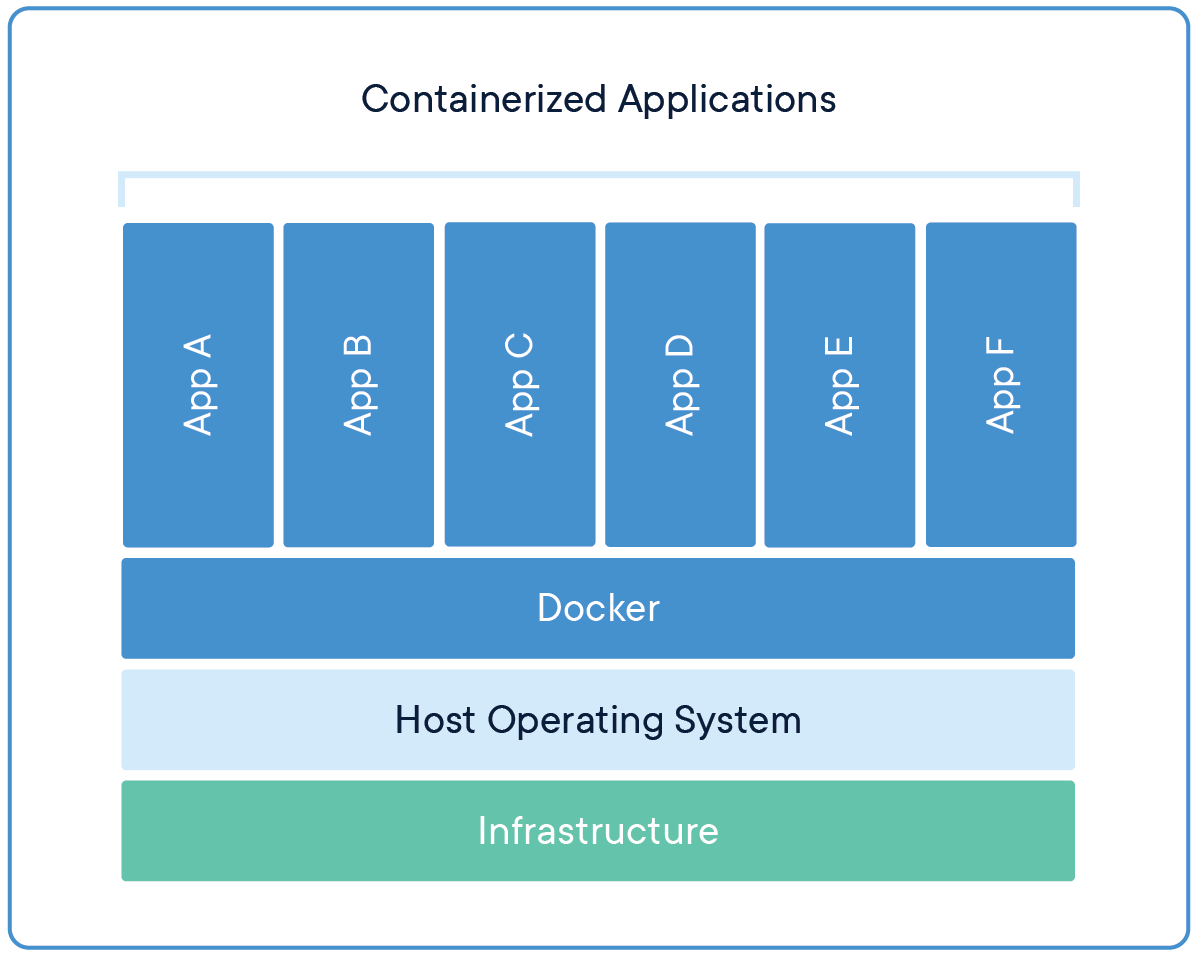
Docker's functionality extends beyond mere containerization; it includes tools for building container images, managing container lifecycles, orchestrating containerized applications, and more. By abstracting away the complexities of system-level configurations, Docker empowers developers to deliver software faster, reliably, and with greater efficiency, ultimately driving innovation and collaboration in the software industry.
How Docker containers work
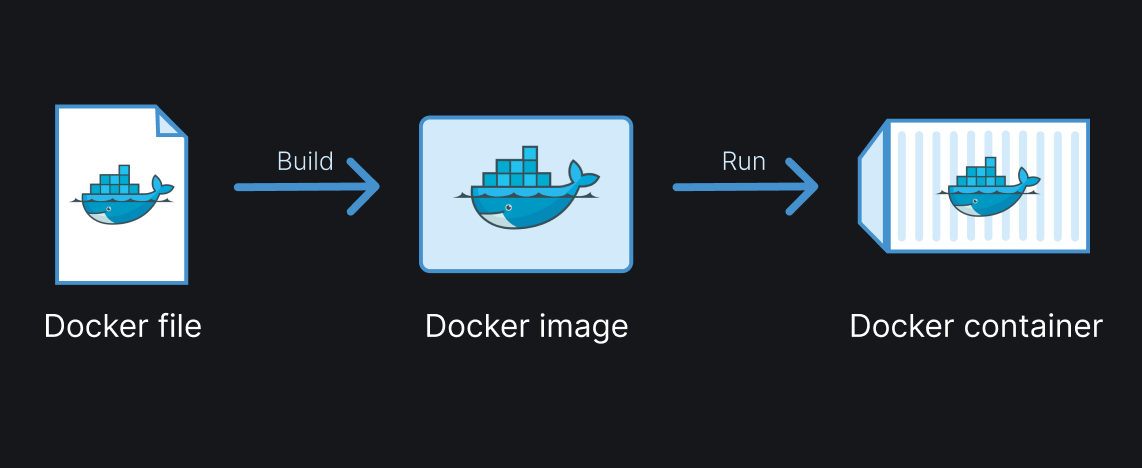
Docker simplifies the software development, distribution, and deployment process through its core components: Dockerfile, Docker image, and Docker container. A Dockerfile serves as a blueprint for building Docker images, containing instructions to define the environment and configuration of the application within the container. These instructions, such as FROM, RUN, COPY, ENV, and CMD, automate the process of building Docker images, ensuring consistency across different environments. Once built, a Docker image is a standalone, executable package that encapsulates the application and its dependencies. Immutable and stored in a registry, Docker images are easily shared, versioned, and reused. Finally, a Docker container is a lightweight, runnable instance of a Docker image.
Why Docker helps ShellHub Agent deployment
When we think about a very comprehensive tool, we need to think about its distribution. ShellHub Agent can run on many Linux-based devices that meet the required runtime and networking requirements. What makes it easily possible is Docker.
Docker encapsulates everything ShellHub Agent needs to run appropriately. You don't need to spend time and worry about dependencies, extra permissions, and translating specific commands for your Linux distribution. In Docker-based deployments, the device needs a supported Docker runtime and the required permissions and network connectivity.
This ease of distribution and deployment not only simplifies the user experience but also accelerates adoption and promotes widespread use of tools like ShellHub, driving efficiency and productivity in various industries.
In a nutshell...
Whether deploying ShellHub on a single-board computer, a virtual machine, or a cloud instance, Docker helps provide a more consistent deployment experience across supported Linux environments.
What Docker does not solve
Docker simplifies packaging and deployment, but teams still need to plan for device permissions, network connectivity, update strategy, and operational monitoring. For ShellHub Agent, Docker helps standardize installation, but the device still needs to meet ShellHub’s runtime and connectivity requirements.
Next step
Want to try ShellHub Agent on a Linux device?
Or start with ShellHub Cloud: