
Managing a NixOS Fleet with ShellHub Using Device Tags
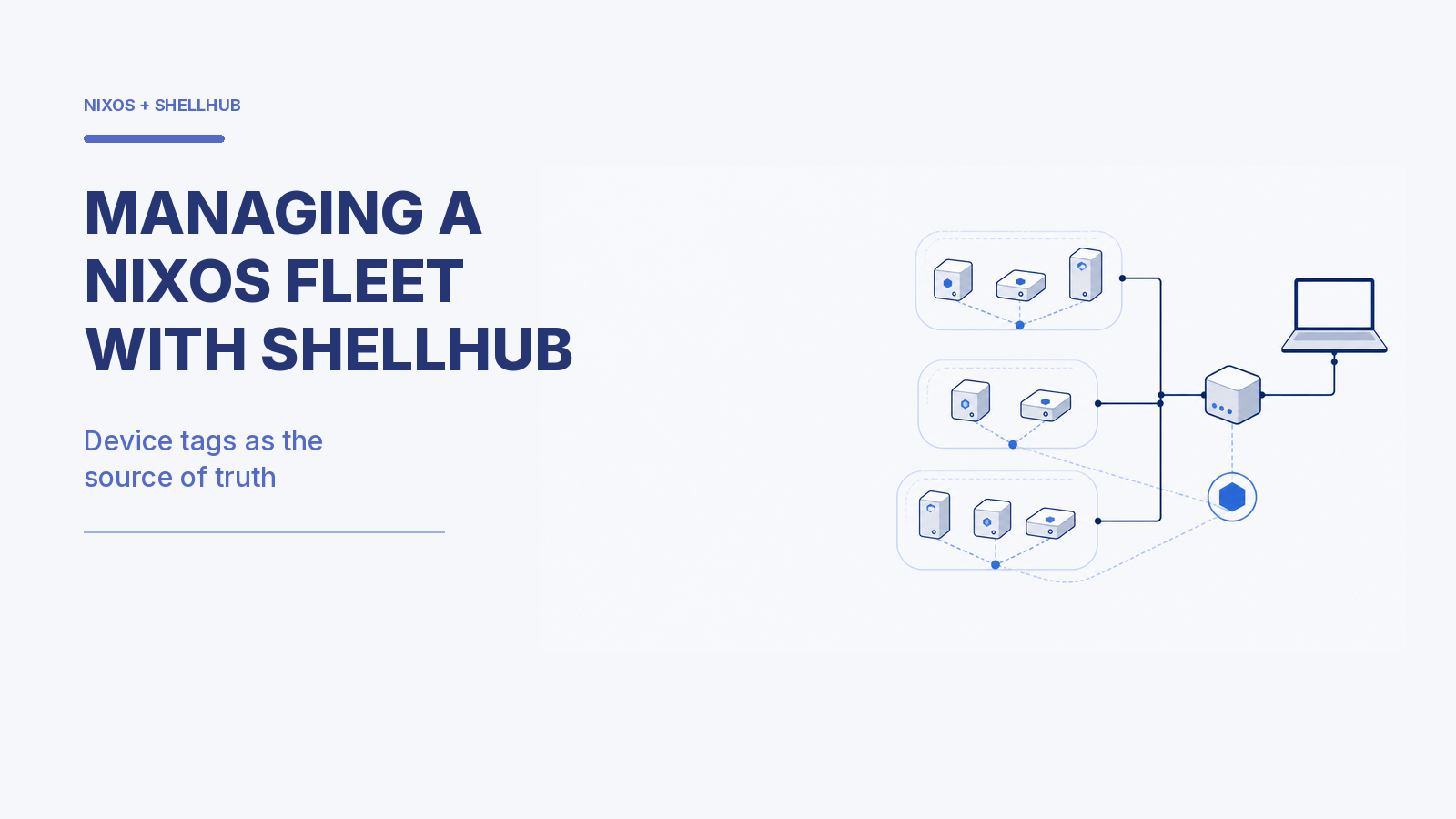
Every fleet ends up maintaining two lists. One lives in your device manager and knows which machines exist. The other lives in your git repository and knows what each machine is supposed to be running. Keeping the two in agreement is usually somebody's job.
This is how a small team stopped doing that job by hand: a ShellHub device tag is now the only thing that decides which system configuration a machine gets.
Quick summary
- Problem: Fleet membership lives in ShellHub, machine configuration lives in git, and the mapping between them drifts as soon as the fleet outgrows one person's memory.
- Solution: Name each ShellHub tag exactly like the configuration it selects, then generate a committed inventory from the ShellHub API so the mapping is version-controlled and reviewable.
- Best for: Teams running NixOS or another declarative OS on kiosks, workstations, or embedded devices in the field.
- Next step: Tag one device to match a configuration name and generate your first inventory file.
The Challenge: Two Inventories That Drift
We run self-service kiosks and desktop workstations installed in customer-facing locations. They sit behind NAT on networks we don't control, so ShellHub has been how we reach them from day one.
The friction was never access. It was bookkeeping. ShellHub knew every device that existed. Our repository knew every configuration that existed. Nothing knew which device should get which configuration, except a person.
Why NixOS Makes That Mapping Load-Bearing
On a conventional distribution, a wrong mapping means a configuration run pushes a few wrong files, and you fix it on the next pass.
On NixOS, the entire operating system is a single build product selected by a single name. Point a machine at the wrong name and it doesn't receive a wrong file. It receives a wrong operating system, atomically, at the next activation. That makes the device-to-configuration mapping the most consequential piece of state we own, which is exactly why it doesn't belong anywhere except version control.
The Agent Ships Inside the Image
If the mapping matters that much, enrollment should not depend on a manual post-install step someone remembers to do. NixOS/nixpkgs includes a services.shellhub-agent module; in this implementation, the agent configuration is baked into the base image so the device can register when it first boots. The agent’s tenant, server and key material must be configured for the deployment without putting secrets in source control.
The general form matters more than this particular build system: whatever produces your images, treat device enrollment as part of the image or provisioning design rather than a runbook step afterwards. (If you'd rather run the agent in a container, ShellHub supports Docker and Podman as well.)
Tags as the Source of Truth
Here is the whole idea: the ShellHub tag is spelled exactly like the configuration attribute it selects. A device tagged workstationNvidia gets the workstationNvidia configuration. There's no lookup table, no naming convention to remember, and no SSH probe asking a machine what it believes it is.
One constraint shapes the naming. ShellHub validates a tag as 3–255 ASCII alphanumeric characters; punctuation, spaces, hyphens and underscores are not valid tag characters. The configuration names therefore have to follow the same rule. Matching them literally beats introducing a translation layer, which is one more thing that can be wrong. If you're still deciding how to organize a fleet, the ShellHub guide to tags and namespaces is a good place to start.
A Committed Inventory, Not a Runtime Lookup
For ShellHub Cloud, we pull the fleet from https://cloud.shellhub.io/api/devices with a namespace API key and commit the generated result to the repository. The result is the whole point, so here it is first:
{
  "00-1b-44-11-3a-b7": "kiosk",
  "00-1b-44-11-3a-c2": "workstation",
  "00-1b-44-11-3a-d9": "workstationNvidia"
}
One line per machine, one fact per line: which machine gets which operating system. That's the only thing here the repository can't work out for itself. The tenant is the same for every device in the namespace, the SSH address is a format rather than a fact, and liveness changes every few seconds. Committing any of it would mean keeping a second copy of something that already has a home.
The key is the device's ShellHub name, which defaults to its MAC address. It's a good key not because it's immutable (it's editable in the dashboard) but because it's the same string the SSH gateway answers to. What identifies a machine is what reaches it, so the two can't drift apart.
Generating the file needs nothing more exotic than curl, jq and an API key, exactly as in the shell script quickstart:
hosts='["kiosk","workstation","workstationNvidia"]'

fetch_devices | jq -S --argjson hosts "$hosts" '
  [ .[]
    | select(.status == "accepted")
    | ([ (.tags // [])[].name | select(IN($hosts[])) ] | first) as $attr
    | select($attr != null)
    | { key: .name, value: $attr }
  ] | from_entries
' > fleet/devices.json
Most of that filter is guarding against the API contract this implementation relies on:
- The response is a JSON array of device objects. Tags are present when available, so the filter treats a missing tag list as empty rather than assuming a fixed response shape.
- Enrollment state and live reachability are different facts. The filter uses
status == "accepted"to keep accepted devices; the deploy-time check later uses the separateonlineboolean. - The API contract can evolve. Keep the query and filter under test against the current ShellHub API documentation rather than depending on undocumented fields or ordering.
fetch_devices is the plumbing underneath: it requests pages with page and per_page, then keeps collecting valid array responses until a page comes back short.
fetch_devices() {
  page=1
  all='[]'
  while :; do
    batch=$(curl -sf -X GET \
      "https://cloud.shellhub.io/api/devices?per_page=100&page=$page" \
      -H "X-API-Key: $SHELLHUB_API_KEY" \
      -H "Content-Type: application/json") || return 1
    count=$(printf '%s' "$batch" | jq 'length') || return 1
    [ "$count" -eq 0 ] && break
    all=$(printf '%s\n%s\n' "$all" "$batch" | jq -s 'add')
    [ "$count" -lt 100 ] && break
    page=$((page + 1))
  done
  printf '%s\n' "$all"
}
The -f and the return 1 are the parts worth copying. A failed request returns a body that isn't a device list, and a paginating loop that can't tell "no more devices" from "something went wrong" will either spin forever or write an empty inventory over a good one.
Review the Fleet the Way You Review Code
That's the real payoff of committing it. Re-tagging a device from kiosk to workstation changes the operating system a physical machine will boot on its next activation. Committed, that change arrives as a one-line diff in a pull request, with an author, a reviewer, and a history behind it.
-  "00-1b-44-11-3a-b7": "kiosk",
+  "00-1b-44-11-3a-b7": "workstation",
Querying the API at deploy time would have been fewer moving parts. It also would have made that change invisible.
What Makes a Tag Valid
Nothing keeps a list of allowed tags, and that's deliberate. A tag is valid because it names a configuration the repository actually has. workstationNvidia works because nixosConfigurations.workstationNvidia exists, and it stops working the day that configuration is deleted. An allow-list of tags would only be a second copy of something the repository already defines.
That's what $hosts is in the filter above. It's spelled out literally there to keep the example readable, but we generate it from the repository so it can't fall behind a rename.
Which puts the resolution in a place worth being explicit about: it happens when the inventory is generated, not when the deploy runs. A tag that names nothing never reaches the file, so what gets committed is already the answer. The deploy step reads that answer and never asks ShellHub which configuration a machine should get.
Devices whose tags match nothing are skipped rather than rejected. A newly provisioned machine shows up in ShellHub and stays untouched until somebody tags it on purpose.
Reaching Machines That Have No Address
Here's the problem that makes the deployment step interesting. These machines are behind NAT, on networks we don't administer. None of them has an address we could put in a config file. That's the reason we adopted ShellHub in the first place, and it's the reason the inventory can afford to store nothing but a MAC.
ShellHub's SSH gateway resolves that route. An SSHID has the form namespace.hostname@gateway-host; you connect as an existing operating-system user on the device, for example:
ssh <device-os-user>@<namespace>.<device-name>@cloud.shellhub.io
Every machine in the fleet is reached through the gateway. The SSHID carries the namespace and device name, and the gateway connects the session to the enrolled agent wherever it is. Nothing in the repository needs to store the device's current IP address.
That's why an implementation can keep a single device name per line. The deploy tool points every machine at the gateway and builds the SSHID from the inventory key it already has, so the inventory never has to store a route. Treat that name as an operational join key, not as an immutable hardware identity: if it changes in ShellHub, review and update the committed inventory deliberately.
Updating the Whole Fleet in Parallel
We use Colmena to push updates, and the inventory is what it deploys against: each line names a machine to reach and the configuration to put on it.
In the author's implementation, the fleet has twenty-odd machines running three configurations. Machines that share a configuration may avoid repeated build work, while activation and transfer still have to succeed per target. Measure this in your own Colmena setup rather than treating it as a universal performance guarantee.
Evaluation is a separate concern. Colmena behavior and cost can vary with the deployment expression and machine count, so test the evaluation path at the scale you intend to operate. The broader design point remains: naming configurations after roles can avoid turning every device into a distinct configuration.
Machines That Are Offline
A field fleet is never fully online. Machines are unplugged, moved, or sitting behind a router someone rebooted. Colmena reports per node, so unreachable devices fail individually while the rest of the run proceeds. But on a fleet of this shape, that means a normal, healthy deploy always ends in a screenful of red, and a run that ends clean stops being a signal worth reading.
So we ask before we push. A small wrapper resolves the run's targets as the intersection of two questions: who is in the fleet, and who is awake right now.
online=$(fetch_devices | jq -r --slurpfile m fleet/devices.json '
  ($m[0] | keys) as $fleet
  | [ .[] | select(.online) | .name | select(IN($fleet[])) ]
  | join(",")
')

if [ -z "$online" ]; then
  echo "no node in the fleet is online" >&2
  exit 1
fi

colmena apply --on "$online"
The first question is answered by git. The second is answered by the API, live, and its answer is thrown away as soon as the command finishes. That's the split the inventory already implies, now with code on both sides of it: fleet membership is a repository question, liveness is a deploy-time question whose answer expires in seconds. Mixing the two is what makes an inventory file rot.
Machines that were asleep aren't lost. They're simply not in this run, and they pick the update up on the next one.
For the deploy itself being wrong, NixOS gives us a cheap answer: the previous generation stays on disk and in the boot menu, so a bad activation is a rollback rather than a reinstall.
Worth being precise about what that buys you, though. If the machine still comes up and answers SSH, you roll it back over the gateway like any other deploy. If the activation broke the boot, the previous generation is right there in the menu, but somebody has to be in front of the machine to pick it, and on a field fleet that's a trip, not a command. The generation history is insurance against a bad configuration, not against being remote.
Takeaways
- ✅ Make the join key literal. If the tag and the configuration are spelled identically, there is no mapping left to maintain.
- ✅ Let the device name be the address. With a gateway in front, reaching a machine takes nothing but its ShellHub name, so the inventory never stores a route that can go stale.
- ✅ Commit the inventory, and only the inventory. Store what isn't derivable from anything else. Everything else is a second copy waiting to disagree.
- ✅ Split the volatile from the durable. Membership belongs in git; liveness belongs in an API call you make and discard.
- ✅ Enroll in the image. If the agent ships with the OS, there's no window where a machine exists and isn't reachable.
FAQ
Does this require ShellHub Enterprise?
This pattern uses device tags, the REST API and standard SSH access through the SSH gateway, all of which are documented for Community and Cloud. It does not depend on interactive session recording. Check the documentation for the deployment or edition you use rather than assuming full feature parity; interactive SSH session recording is documented for ShellHub Cloud and Enterprise.
Do I need NixOS for this to work?
No. The pattern is "spell the tag like the configuration, and commit the inventory," and it applies to any tool where a machine maps to a named configuration. NixOS just raises the value of getting it right, because that one name selects the whole system.
What happens to a device with no matching tag?
It's left out of the generated fleet. That's deliberate: a freshly provisioned machine registers with ShellHub immediately but receives nothing until it's tagged.
What happens to devices that are offline during a deploy?
They're not included in the run, and they pick the update up on the next one. We resolve targets against the API's online flag first so that a deploy that finishes clean actually means something.
Can a device carry more than one tag?
Yes, up to three. Each tag must be 3–255 ASCII alphanumeric characters, so names such as siteA or hwRev2 can coexist with the tag that selects the operating-system configuration. The rule only looks at tags that name a configuration and ignores the rest.
The rule that matters is the other direction: exactly one tag per device should name a configuration. The API doesn't promise an order for the tag list, so a device carrying two configuration names has no defined answer, and "no defined answer" here means an operating system nobody chose. Keep the other two tags for things the repository has no configuration for.
My namespace holds more than one product. Does this still work?
Yes, but make the boundary explicit in the inventory generator. Narrow the fetch using fields documented for the current API schema and test that filter before relying on it for deployment. Do not maintain a second handwritten product list if the API metadata can provide the required boundary.
Next step
Ready to drive your configuration management from device tags?
Read the ShellHub API quickstart
Or organize your fleet with tags and namespaces first:
See how tags, namespaces and RBAC work